BUILD A UFO THAT ACTUALLY WORKS
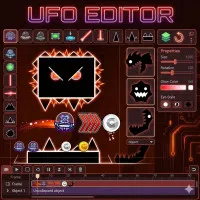
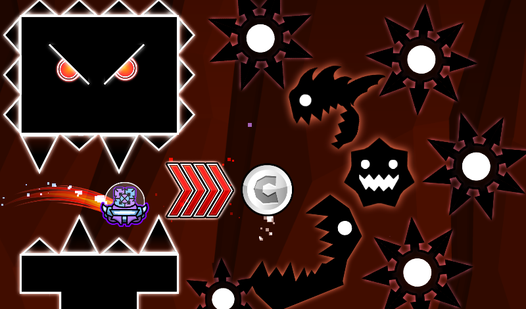
Not every spaceship in UFO Editor looks stable, and that is part of the fun. The game gives players a simple editor filled with parts, shapes, and tools to create their own flying machines. Some designs glide smoothly through obstacles, while others spin out of control seconds after takeoff.
This arcade game turns experimentation into the main challenge instead of focusing on action or combat
GAMEPLAY BREAKDOWN
Players begin by building a UFO piece by piece. You can adjust the body shape, attach engines, move parts around, and change colors to create something completely unique. Once the design is ready, the real test begins.
Each UFO can be placed into a simulation area where players control movement and see how the ship reacts. A badly balanced design may drift, crash into walls, or become difficult to control. Small adjustments can completely change how the spacecraft flies, making trial and error an important part of the experience. The fun comes from constantly improving weird ideas until they somehow start working. Play now!
Controls for Creative Building
- Left Click: Select parts and tools
- Drag and Drop: Move UFO components
- Tool Buttons: Change colors, shapes, or positions
Standout features
- Custom UFO building system
- Flight testing and movement simulation
- Editable shapes and colors
- Physics-based flying behavior
- Quick design adjustments
- Creative sandbox gameplay
MORE EXCITING GAMES
Looking for more creative and fast-paced fun after UFO Editor? Try Retro Rush, Color Wavee, or Sprunki Playground for more unique challenges and chaotic gameplay moments.